OSHA Reporting Requirements Explained: Deadlines, Forms, and Electronic Submission
OSHA reporting requirements go beyond a single incident notification. This guide explains what employers need to report, record, submit, and track to maintain injury and illness documentation.
Last Updated: June 2026
“OSHA reporting requirements are the rules employers must follow to report severe work-related incidents, maintain injury and illness records, and electronically submit required data to OSHA.”
Employers may need to report fatalities and severe injuries within hours, maintain OSHA Forms 300, 300A, and 301, and submit annual data through OSHA’s Injury Tracking Application.
Summary
OSHA reporting requirements can be confusing because teams typically use “reporting” to refer to several compliance tasks. However, there are three main responsibilities you need to know: reporting severe incidents directly to OSHA, recording work-related injuries and illnesses on OSHA forms, and electronically submitting injury and illness data when required. This distinction matters, so you provide the correct information at the correct time to avoid violations. For example, while you must report fatalities to OSHA within hours, you only need to report certain injuries on OSHA forms.
This guide explains what to report, record, submit, and track internally. It also covers common OSHA reporting mistakes and how to build a reliable incident management process that supports compliance. EHS teams need a process that captures incident details quickly, determines whether an event is reportable or recordable, escalates severe cases, maintains accurate records, and tracks corrective actions through completion. A strong OSHA reporting process helps you avoid missed deadlines, incomplete documentation, and last-minute recordkeeping issues.
Key Takeaways
- OSHA reporting, recordkeeping, and electronic submission are related but separate requirements.
- Employers must report work-related fatalities within 8 hours and work-related in-patient hospitalizations, amputations, and losses of an eye within 24 hours.
- Many employers with more than 10 employees must keep OSHA injury and illness records unless they qualify for an exemption.
- Certain companies must electronically submit OSHA injury and illness data each year through OSHA’s Injury Tracking Application.
Improving Compliance with Frontline ACT
Learn how NeoGraf Solutions increased visibility over their EHS program.

What are OSHA Reporting Requirements?
OSHA reporting requirements are the rules employers have to follow when notifying OSHA of certain severe work-related incidents, maintaining required injury and illness records, and submitting certain data electronically.
These requirements generally fall into three categories: reporting, recordkeeping, and electronic submission. Each one serves a different purpose.
| OSHA Obligation | What It Means |
|---|---|
| Reporting | Notifying OSHA directly after a severe work-related event |
| Recordkeeping | Documenting recordable work-related injuries and illnesses on OSHA forms |
| Electronic submission | Submitting required injury and illness data through OSHA’s Injury Tracking Application |
The first step is knowing which requirement applies. That way, you’ll know who to report the incident to and where to document it internally. Your incident management process should help your team classify the event, escalate it to the right people, document the required details, and follow up with corrective actions.
OSHA Reporting vs. OSHA Recordkeeping
OSHA reporting and OSHA recordkeeping are related, but they’re not the same thing.
OSHA reporting means notifying OSHA directly after a specific severe work-related event. These are urgent notifications with short deadlines. If one of your employees dies from a work-related incident, suffers an in-patient hospitalization, experiences an amputation, or loses an eye, you most likely need to report it to OSHA.
On the other hand, OSHA recordkeeping means documenting recordable work-related injuries and illnesses using OSHA forms. These records help employers, workers, and OSHA understand injury and illness trends. Recordkeeping isn’t immediate in the same way severe injury reporting is, but it still has specific timing and documentation requirements.
Electronic submission is another related requirement. Certain establishments must submit injury and illness data to OSHA each year through the Injury Tracking Application.
| Scenario | Report to OSHA Immediately? |
|---|---|
| Work-related fatality | Yes |
| Work-related in-patient hospitalization | Yes |
| Work-related amputation | Yes |
| Work-related loss of an eye | Yes |
| Medical treatment beyond first aid | No, unless severe reporting criteria apply |
| First-aid-only injury | No |
| Near miss | No |
An incident can be reportable, recordable, both, or neither. For example, a work-related amputation is reportable to OSHA within 24 hours and would typically also be recordable. A first aid-only injury is usually not reportable or recordable, but it can still uncover a hazard that your team should investigate. A near miss isn’t OSHA recordable because it doesn’t involve an injury or illness but documenting it can help you address risks in your operation.
While OSHA logs are important, they’re only one part of your incident management process. A strong safety program tracks more than OSHA-minimum data.
What Incidents Do I Need to Report to OSHA?
Immediate reporting requirements for certain severe work-related incidents apply even if the you’re partially exempt from OSHA’s routine injury and illness recordkeeping requirements.
The following events must be reported to OSHA:
| Reportable Event | OSHA Reporting Deadline |
|---|---|
| Work-related fatality | Within 8 hours |
| Work-related in-patient hospitalization | Within 24 hours |
| Work-related amputation | Within 24 hours |
| Work-related loss of an eye | Within 24 hours |
These timelines are short, so your team needs to know how to escalate severe injuries quickly. The longer you wait for a complete investigation, final root cause, or full CAPA plan, the higher the potential risk.
The goal of the immediate reporting requirement is to notify OSHA that a severe work-related event occurred. Your internal investigation can continue after you make the report.
When Does the OSHA Reporting Deadline Start?
The OSHA reporting deadline starts when the employer, or the employer’s agent, learns that a reportable event has occurred.
This matters because severe injury information can change after the initial incident. Whether an event is reportable can change if your employee goes to in-patient care, undergoes an amputation, loses an eye, or dies from the work-related incident.
OSHA also sets timing limits for when certain events are reportable in relation to the original work-related incident. Here are the reportability windows for different types of events:
| Event | Reportability Window |
|---|---|
| Work-related fatality | Reportable if the fatality occurs within 30 days of the work-related incident |
| In-patient hospitalization | Reportable if it occurs within 24 hours of the work-related incident |
| Amputation | Reportable if it occurs within 24 hours of the work-related incident |
| Loss of an eye | Reportable if it occurs within 24 hours of the work-related incident |
Here’s a practical example. If an employee is injured on Monday and later experiences an in-patient hospitalization within 24 hours of the incident, you may have a 24-hour OSHA reporting obligation once you learn of the hospitalization.
This is why incident follow-up matters. Your team needs a way to update case details when medical status changes, not just capture what they knew at the time of the initial report.
How to Report Fatalities or Severe Injuries to OSHA
Your internal procedure should make it clear who’s responsible for making a report, what information they need, and which reporting method they should use. Here are the different ways you can report a fatality or severe injury to OSHA:
| Reporting Method | Best Use Case |
|---|---|
| OSHA online reporting form | When you have access to the required information and can submit electronically |
| OSHA 24-hour hotline | When the event is urgent or needs to be reported outside normal office hours |
| Nearest OSHA area office | When you want to report directly to the local OSHA office |
Your team shouldn’t wait until each investigation detail is complete before deciding whether to notify OSHA. The immediate reporting obligation is based on the reportable event, not on having a completed root cause analysis.
That means your process should answer two questions quickly:
- Did a reportable work-related event occur?
- Who’s responsible for notifying OSHA within the required timeframe?
For multi-site companies, this should be especially clear. A supervisor, site manager, HR contact, and corporate EHS leader may all have different pieces of information. Without a clear escalation process, the reporting deadline can pass while your team is still trying to determine who owns the next step.
What Information Do You Need to Report to OSHA?
When reporting a fatality or severe injury to OSHA, be prepared to provide basic information about the establishment, affected employee, incident, and contact person.
| Information OSHA May Need | What To Prepare |
|---|---|
| Establishment name | Company name and establishment information |
| Incident location | Facility, jobsite, department, or work area |
| Incident time | Date and approximate time of the event |
| Type of reportable event | Fatality, in-patient hospitalization, amputation, or loss of an eye |
| Number of affected employees | Total number of employees involved |
| Names of affected employees | Employee names, if available |
| Brief incident description | What happened and what you know so far |
| Contact person | Name and phone number for OSHA follow-up |
This information is much easier to provide when your team uses a standardized incident reporting process. Using emails, paper forms, etc., may make you lose valuable time.
A reliable internal process should capture the basic facts early, then allow your team to update the case as more information becomes available. That way, you can meet immediate reporting obligations while still continuing the investigation.
What is OSHA Recordkeeping?
OSHA recordkeeping is the process of documenting recordable work-related injuries and illnesses. These records show what happened, how severe the case was, and how it affected the employee’s work status.
Many employers with more than 10 employees must keep OSHA injury and illness records unless they qualify for an exemption based on size or industry. Covered employers use OSHA Forms 300, 300A, and 301, or equivalent forms, to maintain those records.
Recordkeeping should be part of the incident management process from the beginning.
After an incident occurs, your team needs to determine whether the case is recordable. If it is, you’re required to document the case on the appropriate OSHA forms within the required timeframe. You may also need to update this information if the case changes. Examples of this include when days away from work, job transfer, restriction, or medical treatment details become clearer.
Free Download
Download this free template to see a basic format for reporting workplace incidents.
OSHA Forms 300, 300A, and 301 Explained
OSHA recordkeeping is built around three main forms: OSHA Form 300, OSHA Form 300A, and OSHA Form 301. Each form serves a different purpose.
| OSHA Form | Purpose |
|---|---|
| OSHA Form 300 | Log of work-related injuries and illnesses |
| OSHA Form 300A | Summary of work-related injuries and illnesses |
| OSHA Form 301 | Injury and illness incident report |
OSHA form 300 is the ongoing log that lists recordable work-related injuries and illnesses throughout the year. It helps your team track the type of case, where it happened, the outcome, and the number of days away from work, job transfer, or restriction.
The OSHA 300A form is an annual summary of the data from the OSHA 300 log for the previous calendar year. Employers that fall under this requirement use the 300A form for annual posting and some use the data for electronic submission.
Finally, the OSHA 301 form is for incident reports. It captures more detailed information about an individual recordable case, including details about the employee, the healthcare provider, and what happened.
These forms are connected. If your incident intake process is incomplete, your OSHA forms will be harder to maintain. If you don’t update your forms throughout the year, annual posting and electronic submission is more stressful than it needs to be.
OSHA Form 300A Posting Requirements
Employers that meet the 300A form requirement need to complete it after the end of the calendar year. This form summarizes work-related injuries and illnesses from the previous year and you need to post it where you usually post employee notices. OSHA requires you to post the form from February 1 through April 30.
Posting Form 300A is separate from electronic submission. Some employers may have to post Form 300A but may not have to submit data electronically. Others may have both obligations.
Your team should treat the annual posting period as the final step in a year-round recordkeeping process, not the moment when recordkeeping starts. If you didn’t classify, enter, review, or update cases throughout the year, completing the annual summary can become a scramble.
OSHA Electronic Reporting Requirements
OSHA electronic reporting requirements apply to certain businesses based on size and industry. Covered businesses must submit injury and illness data electronically through OSHA’s Injury Tracking Application (ITA).
Electronic submission requirements are based on the specific site. In other words, a company with multiple locations may need to evaluate each site separately. One location may have an electronic submission obligation while another doesn’t.
| Establishment Category | What to Submit Electronically |
|---|---|
| 20–249 employees in certain designated industries | OSHA form 300A data |
| 250 or more employees that are required to keep OSHA records | OSHA form 300A data |
| 100 or more employees in certain designated industries | OSHA 300 and 301 form data, plus applicable form 300A requirements |
Don’t look only at your company’s total headcount instead of evaluating site-level requirements. Posting the 300A form is not the same as submitting data electronically. It’s a workplace visibility requirement while electronic submission is a data submission requirement through OSHA’s ITA.
OSHA Electronic Submission Deadline
Injury and illness data submitted annually through the ITA generally covers the previous calendar year. The annual submission deadline is March 2. If you miss the deadline, you should still submit the required data.
| Task | Recommended Timing |
|---|---|
| Review incident records | Monthly or quarterly |
| Reconcile OSHA forms | Before annual summary preparation |
| Confirm ITA applicability | Before the electronic submission period |
| Post OSHA Form 300A | February 1 through April 30 |
| Submit required data through ITA | By March 2 |
| Retain supporting documentation | According to OSHA’s record retention requirements |
If your team reviews incident records regularly, updates case classifications, confirms days away or restricted duty counts, and resolves missing details early, the annual submission process becomes much easier.
Reportable, Recordable, and Internally Tracked Incidents
You don’t have to report every workplace incident to OSHA and you don’t have to track them all either. However, you should still track most incidents internally because they’ll help you find the risks in your operation.
This is where a lot of EHS teams run into trouble. If your process only focuses on OSHA minimum requirements, you may miss early warning signs. After all, a near miss might not go on the OSHA log, but it can still show that a hazard exists.
| Incident Type | OSHA Reportable? |
|---|---|
| Fatality | Yes |
| In-patient hospitalization | Yes |
| Amputation | Yes |
| Loss of an eye | Yes |
| Medical treatment beyond first aid | Usually no |
| First-aid-only case | No |
| Near miss | No |
The strongest incident management systems capture more than what’s strictly required for OSHA reporting. They help your team understand what happened, why it happened, and what needs to change.
Common OSHA Reporting and Recordkeeping Mistakes
Many OSHA reporting problems come from a flawed process. If the company doesn’t have a consistent way to capture, classify, escalate, document, and review incidents, then people are more likely to make errors.
Common mistakes include:
- Confusing reportable incidents with recordable cases
- Waiting too long to escalate severe injuries
- Assuming small or partially exempt employers never have to report to OSHA
- Treating OSHA forms as an annual task instead of an ongoing process
- Keeping incident details in spreadsheets, emails, paper files, etc.
- Failing to update records when case details change
- Overlooking establishment-level electronic submission requirements
- Missing the connection between incident reporting and corrective action tracking
- Failing to document who reviewed and approved case classifications
- Waiting until the ITA deadline to clean up incomplete records
These mistakes are especially common in companies with multiple facilities, decentralized reporting processes, or inconsistent supervisor training. One site may escalate incidents quickly, while another may rely on informal phone calls or delayed paperwork.
A standardized process reduces variation. It gives your team a consistent path from initial incident report to classification, investigation, corrective action, and final documentation.
How To Build a Reliable OSHA Reporting Workflow
A reliable OSHA reporting workflow should help your team answer the right questions in the right order. The goal is to move each incident through a consistent process, not rely on memory, manual follow-up, or one person’s expertise.
Use the following workflow as a starting point:
- Capture the incident as soon as it occurs.
- Collect the initial facts using a standardized incident report.
- Determine whether the event may is immediately reportable to OSHA.
- Escalate fatalities and severe injuries to the responsible EHS or leadership contact.
- Complete the required OSHA notification, if applicable.
- Determine whether the case is OSHA recordable.
- Complete or update OSHA forms 300, 300A, and 301 as needed.
- Assign corrective actions based on the investigation.
- Track corrective actions to completion.
- Review records before posting or electronic submission.
- Retain documentation for audits, inspections, and internal review.
The workflow should be simple enough for supervisors to follow but detailed enough to support compliance. Every incident should move through the same basic points:
- Is it reportable?
- Is it recordable?
- Does it require corrective action?
- Does it need to be included in annual reporting?
- Who needs to review or approve the case?
- What documentation do we need to retain?
When you put these questions into your workflow, your team is less likely to miss important steps.
How Incident Management Software Supports OSHA Compliance
Incident management software helps EHS teams standardize the way they report, investigate, document, and resolve incidents. That matters because OSHA reporting and recordkeeping depends on accurate information, timely escalation, and consistent follow-through.
OSHA compliance software can help your team:
- Capture incident details in a standardized format
- Escalate severe incidents quickly
- Document case details in one system
- Reduce reliance on spreadsheets and paper forms
- Assign and track corrective actions
- Maintain visibility across multiple sites
- Review incident trends over time
- Support OSHA recordkeeping and annual reporting workflows
- Prepare documentation for audits and inspections
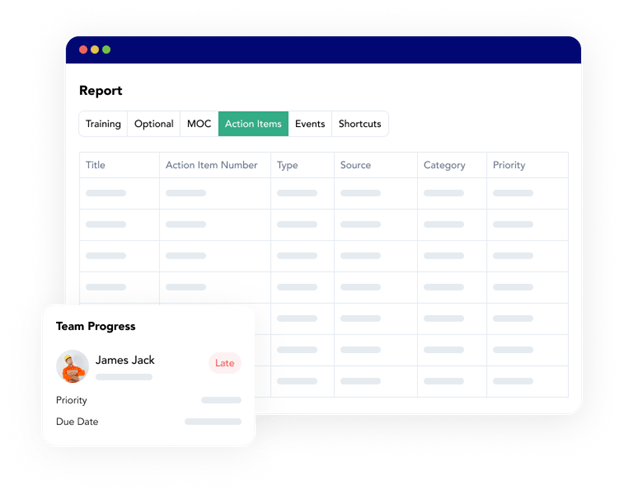
This is especially valuable when you’re managing incidents across multiple facilities. Without a centralized process, leadership might not have clear visibility into which incidents are open, which are recordable, which corrective actions are overdue, or which sites are ready for annual reporting.
Frontline ACT helps EHS teams manage their incident management process through a standardized workflow. With it, you can capture critical incident details with custom forms and route corrective actions to the right people. Use it to gather all the data you need for OSHA reporting requirements and preventing repeat incidents.
Frequently Asked Questions About OSHA Reporting
Related Guides & Resources
Take the Guesswork Out of Incident Reporting
Frontline ACT helps teams capture incident details, track corrective actions, and maintain better visibility into OSHA-related documentation. Build a more consistent reporting process from the initial incident through final follow-up.